Blogg
Här finns tekniska artiklar, presentationer och nyheter om arkitektur och systemutveckling. Håll dig uppdaterad, följ oss på LinkedIn
Här finns tekniska artiklar, presentationer och nyheter om arkitektur och systemutveckling. Håll dig uppdaterad, följ oss på LinkedIn

In this post, I’ll compare five European cloud providers: Scaleway, OVHcloud, Exoscale, CYSO, and Hetzner, with AWS as a counterpoint, representing the non-European hyper-scalers. I’ll look at performance, price, ease of use, and overall experience. Maybe it’s time to leave the big three behind, and look at what Europe has to offer when it comes to the cloud.
This began early 2025, when I decided to set up and host a new game server for my friends and me, and rather than letting it run on my own machine, I wanted someone else to handle the compute for me.
The game is called Project Zomboid, and it’s easy enough to host your own server since it runs as a single JVM instance with reasonable resource requirements:
CPU: Quad-core 2.5Ghz-3.0Ghz
RAM: 8-16GB, depending on player capacity
Bandwidth: 5-20Mbps
Storage: 20-50GB
So I needed a modest VM, preferably close to home, that is easy to set up and maintain, and hopefully without digging too deep a hole in my pockets.
While scouting around for different options, I thought, “Why not try something new?” So instead of the usual suspects like AWS, GCP, or Azure, I started looking at European providers as alternatives to the big hyper-scalers.
I did some digging and quickly found a cosy home for my server. It turned out to be not just a cheaper solution, but also easier to work with and a more pleasant experience overall. This liberating experience triggered an urge to learn more, and partake of more from the smorgasbord of cloud providers Europe has to offer.
Of course, to truly understand and learn, I would love to do a proper deep-dive into each provider and twiddle with every knob and lever there is, but for now, I’ll start simple and just replicate my single-server setup. But who knows, maybe I’ll try setting up a Kubernetes environment in the future.
Before I begin, why should you consider running your infrastructure on a European cloud?
Let’s not get too political and start pointing fingers, but looking around at the state of the world and what is happening around us, it’s frankly terrifying, and it does make me want to don the armor of EU data protection and hide myself and my data under the protective umbrella of the EU.
Storing sensitive data within European borders not only secures it under GDPR and EDPB regulation, but can also stop unpredictable, not-so-neighbourly neighbours from using frameworks such as the US CLOUD Act, to demand that a provider expose your data on a whim.
It’s no surprise that many EU-based providers focus heavily on compliance and data sovereignty, and for good reason, since it gives them an edge over providers who can’t make the same promises.
Making the switch for data sovereignity could pair perfectly with the EU’s push towards open-source software, for much the same reason, which, as a European citizen, both warms my heart and makes me excited and hopeful for the future.
Hyper-scalers such as AWS, GCP, and Azure often charge a premium for brand recognition and ecosystem.
I get that choosing the most popular option is convenient, and it can be the right choice, but the most popular student isn’t always the best. The providers I have looked at may not be as feature-rich as a hyper-scaler, but they can offer more raw power (CPU, RAM, bandwidth) for much less money.
And I’m not talking about a couple of percentages here or there, but about at least a 260% increase in compute power for the same money.
The price-to-performance ratio is simply impossible to ignore.
For a business focused on the European market, having infrastructure closer to your users reduces latency and improves connectivity.
European providers often have direct peering arrangements with major local Internet Exchange Points (such as DE-CIX in Frankfurt or AMS-IX in Amsterdam). This means traffic takes a direct path to the user’s ISP, bypassing the global network backbones often traversed by hyper-scalers.
Depending on the provider, a more focused, simpler offering can make management and billing easier than the complex, all-in-one ecosystems with too many overlapping solutions.
Many European cloud providers highlight their focus on running data centers with clean energy, claiming to be either carbon-neutral or to have a much lower carbon footprint than traditional energy sources.
Pushing for green energy and sustainable infrastructure deserves recognition, and as an industry, we should encourage any steps providers can take to reduce their environmental impact.
Competition leads to innovation, which means better products and services, and helps prevent market stagnation, which benefits us as consumers and producers alike. Despite what some Googlers might claim.
For the industry as a whole, not putting all our compute in the same cloud-based baskets helps avoid the problems we have seen when services like AWS, Azure, or Cloudflare go down, taking more than half the internet down with them. Outages, which seem to be happening more and more often in the last couple of years.
Just like we try to reduce the blast radius of our software with loosely coupled micro-services, redundant instances and data backups, we could reduce our industry-wide blast radius by not putting all our eggs in one or a few provider baskets.
Reducing our dependencies, both by using open-source software and locally sourced clouds, seems to me like the way forward.
Sounds promising, doesn’t it? But there are pitfalls to consider before jumping into the European embrace.
Today, AWS is in a comfortable “moment 22” position: Most people learn AWS because it’s the most used and a de facto cloud standard, and it’s the standard because most people learn about it. It’s a circle, a cycle.
So moving to a smaller provider can feel limiting in some ways. Documentation, how-to’s, and guides for specific providers can be lacking; there just isn’t as much material as for AWS.
I’m not saying it’s barren; there is documentation, forum posts, blogs, and chat rooms full of people to help, just not as prevalent. I have not encountered any major roadblocks, but it’s worth mentioning and tempering expectations if you are used to the plethora of guides for AWS, GCP, or Azure.
The ecosystem is usually smaller, with fewer managed services available, which means you might have to do more DIY or self-host, especially for services like Kafka, databases, or serverless compute. You might need to set up your own Redis or Keyval instance or handle CI/CD with GitHub or GitLab.
With that bit of perspective, lets do a quick walk-through of how i benchmarked the different servers.
This first foray into the clouds will focus on replicating my own server setup, but instead of only providing my own objectively subjective opinion, I want to have some numbers, some meat on the bones, when comparing the providers.
I’m not claiming this was done in a clean lab environment, so the results should only be used as rough estimates. However, every provider is running a clone of my server image, and all testing is done from the same machine at roughly the same time, in an attempt to be as fair as i am able.
To gather data, I set up a small suite of benchmarks for each server to see how they stack up against each other.
For each metric I want to evaluate, I have setup a small test in order to get some raw numbers.
Raw CPU power measured by StressNG to calculate bogo ops/s, running directly on the server instance.
For an overview of performance YABS (Yet Another Benchmark Script) provides Geekbench scores to compare against, also running directly on the machine.
To stress the network connection I will be using iperf3, mtr and speedtest
I will test three scenarios: “Realistic Load” (iperf3), bandwidth limits (speedtest), and latency(mtr).
Iperf3 and mtr tests are connecting my machine to each server instance, and each instance is place, to the best of my ability, as close to each other as possible, mostly around Germany when I’m able to.
# Realistic Load (200MB UDP) - Checks for stability
  iperf3 -c [Server_IP] -p 5555 -u -b 200M -t 30

# many small packages
  iperf3 -c [Server_IP] -p 5555 -u -b 20M -l 100 -t 30

# bandwidth limits
  speedtest --simple

# Latency from server to 1.1.1.1 and server to my own machine
  mtr -rwc 100 1.1.1.1
  mtr -rwc 100 [MY IP]
A quick general test, to compare both network speeds and disk IO, downloading a larger image (Nvidia’s Cuda image ~7GB).
sudo time docker pull nvidia/cuda:12.1.1-devel-ubuntu22.04
Here, I get very subjective and get an overall gameplay feel for each instance.
Since I’m dimensioning the instance to handle normal usage without issues, I will not only run around looking at the graphs, but also test the gameplay experience with two high-volume tests.
First of all is the “Louisville run”, where I will be moving around the most dense and populated area found in the game, forcing the server to render and send a lot of new information for each “chunk” of the map.
The second test, “the horde,” is where I will push the game to its limit by spawning as many zombies as the server allows at once and see how it handles it.
How long after start until the server is available via SSH, and how long until a game client can connect? Quick and dirty with a polling script, running each test 3-4 times.
A normal gameplay session pushes out around 300 MB of data, so let’s pretend that this happens all day, every day for the entire month: 0.3*720=216GB ~ 200GB of egress data per month. How much would a provider charge for this?
An interesting new addition to the AWS fleet, released at the start of 2026, It touts itself as the entire AWS portfolio and infrastructure, while meeting compliance and data protection requirements.
Legal is not my field, so I can’t say much about how well this holds up to scrutiny, or how they would respond to a CLOUD ACT request, but time will tell. Nevertheless, I choose to use this as a representation of AWS, since it appears nearly identical to the original.
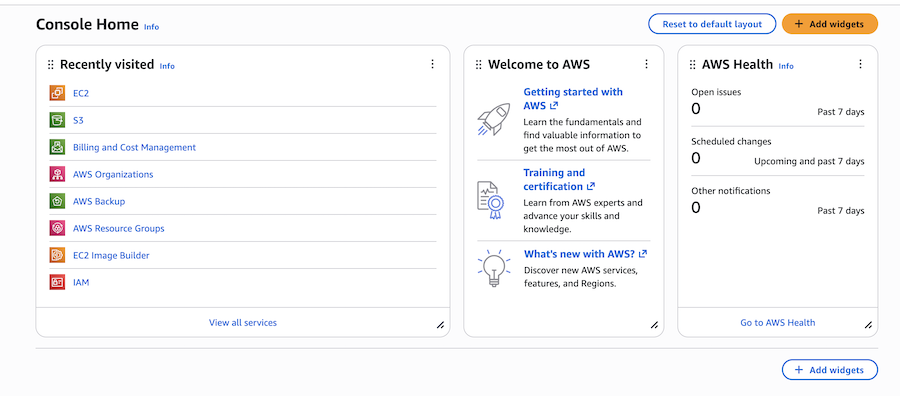
Look and feel of AWS SoV? I would say it’s just as uninviting and cumbersome as the original; getting anything done feels like a slog. The things I need are always hidden behind nested menus and endless scrolling through an unintuitive interface. But i must admit, you do get alot of information about your resources.
Setting up my single instance here was by far the most time-consuming. Not only does AWS not accept generic VM formats like qcow2 or VDK, as the other providers do, but the image also has to be wrapped in their own special casing.
The grueling process consisted of formatting, reformatting, editing incorrect IAM roles, adding trust policies, then fixing broken policies, fiddling with permissions and access, and, at last, I was ready to upload the image.
Ready, but not quite able. I’m not sure if it was because it was a newly awakened data center, a shoddy wire, or just plain bad luck, but simply uploading the image to S3 became a herculean task, with multiple attempts failing halfway through, streams cutting off, server-side errors, and restart after restart.
But after hours, hours with a big H, of attempts, the stars finally aligned, and the image was uploaded.
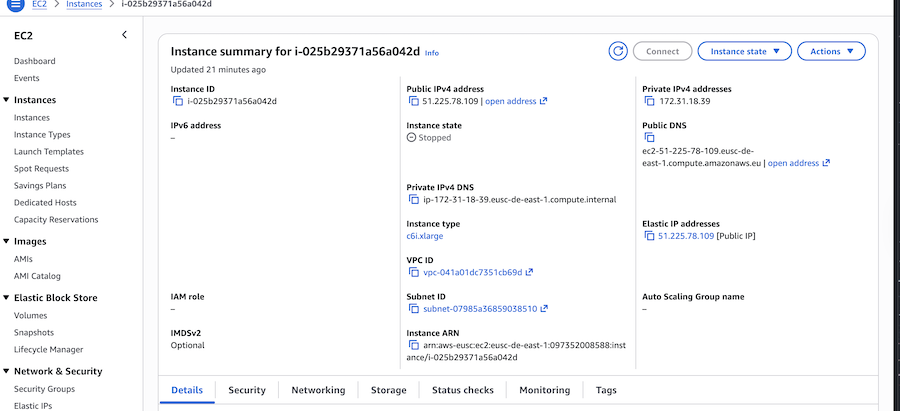
Once uploaded, the last mile of the journey was not too bad, Some semi-smooth SSH shenanigans later, adding some storage, and the final push of a button, and the server is finally up and running.
But how well did it run?
c6i.xlarge Intel Ice Lake (3rd Gen Xeon Scalable - Released 2021)| Metric | Value |
|---|---|
| Geekbench 6 (Single/Multi) | 1648 / 3471 |
| StressNG | 4,882 ops/s |
| Network Latency | 11.0 ms |
| Bandwidth | ~1,746 Mbps |
| Docker Pull | ~120s |
| Cold Start (SSH) | ~44s |
| Cold Start (Client) | ~80s |
| Cost Component | Price |
|---|---|
| Server | €137.84 |
| Storage | €4.01 |
| Backup | €5.83 |
| Egress (200GB) | €15.20 |
| Total | €162.88 |
This is the baseline I will compare the other providers against, and is respectable in terms of CPU, bandwidth, and latency.
In terms of gameplay, the 11ms latency translates into 45ms in-game ping. The “Louisville run” test shows some delays and stuttering when rendering new areas, and CPU usage rises to around 60%. The “horde” test didn’t phase the server at all, even as it reported 0MB free / 3372MB used and held a stable 15fps during the test. For sure this is playable, and if it wasn’t for the user experience and the hefty price tag looming overhead, I would be very content with this solution, so from the perspective of “just” a player: Seal of approval.
Going from the most unpleasant to the most enjoyable in this lineup, let’s look at Scaleway.
Scaleway is a French cloud provider with data centers in Paris, Amsterdam, and Warsaw, offering a wide range of services. From bare metal, VMs, containers, Kubernetes and “Serverless”, managed databases and message-brokers, RISC-V and Apple silicon machines, and even AI and quantum computing.
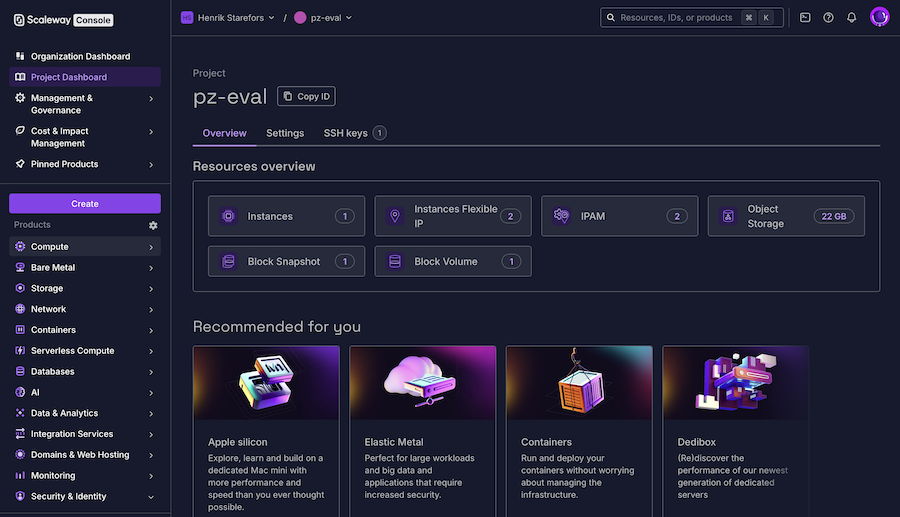
In my maybe-biased opinion, Scaleway offers the best development experience of the bunch, both in terms of the UI and CLI/SDK usage, though my exposure to the SDK is rather limited for now. I might be infatuated by the nice-looking GUI, and that is affecting my overall opinion, I admit that, but I guess that means the UX team did a good job?
The interface is clean and clear; it’s easy to get an overview of your resources, how they connect, and what they will cost. Scaleway feels very upfront and honest about the cost of using their service, with no hidden fees or unexpected bills, which I do appreciate.
Like many other cloud providers, Scaleway offers an S3-compatible storage option, which I used to upload my custom qcow2 file as a snapshot via their CLI.
This snapshot is then used to create my server instance based on the “DEV1-L” template, check the box for a public IP address, add some storage, and add my SSH key, and it is ready to go. As a nice bonus, during the creation of a new instance, you will see both the expected cost and the environmental footprint your resources will produce.
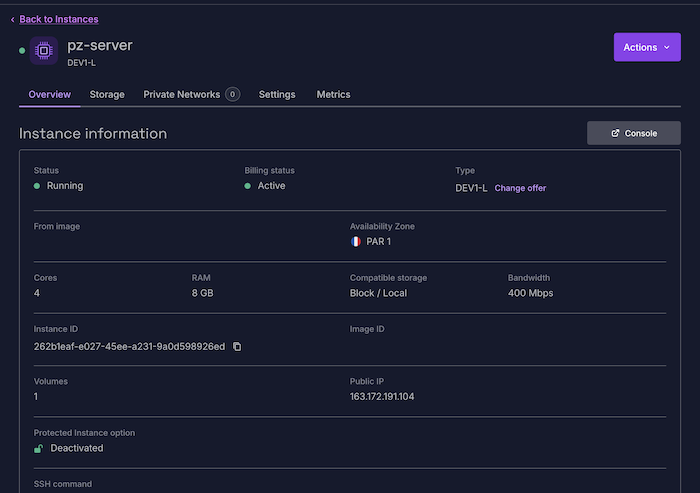
Instance: DEV1-L (AMD EPYC 7282 - Released 2019)
| Metric | Value | vs AWS Baseline |
|---|---|---|
| Price | €40.43 | -75% (Cheaper) |
| Geekbench Single | 3544 | +115% (Faster) |
| Geekbench Multi | 3544 | +2% (Faster) |
| StressNG | 4,852 | -0.6% (Similar) |
| Latency | 1.7 ms | -9.3 ms (Better) |
| Upload Speed | 400 Mbps* | -77% (Slower) |
| Docker Pull | 65s | -55s (Faster) |
| Cold Start (SSH) | 28s | -19s (Faster) |
| Cold Start (client) | 105s | +25s (Slower) |
Price Details: Server: €30.66 Storage: €3.45 IP: €2.92 Backup: €3,3984 Egress 200GB/month: Free (unlimited) Total: ~€40,43
Summary: Scaleway offers double the single-core performance and drastically lower latency for a quarter of the price. The only downside is the slow bandwidth on offer.
With a latency of 1.7ms, I would expect a lower ping than the 30ms displayed, but the connection is stable, and only minor stuttering is observed during heavy loads. The “Louisville run” shows some rendering delays, even though the server’s CPU usage only reaches around 50%, so the culprit might be networking. The “horde” test passes without issues, server reporting 1170MB free / 1741MB used and a stable 22 fps. Overall a good player experience here as well, despite the minor stuttering during heavy load.
Once again, to be transparent with my bias, my personal server is already running on Scaleway, and has been for the last year, so I have close to a hundred hours of experience using it as a host, and knew beforehand that I was satisfied with the performance of a Scaleway instance.
Next up is OVHcloud, another French cloud provider with a wider range of data center locations. Not only do they have centers in European countries such as France, the UK, Poland, Germany, and Italy, But their reach also stretches west with two locations in Canada, and east to the Asia-Pacific countries of India, Australia, and Singapore.
Like Scaleway, OVH offers a wide range of services, from dedicated bare-metal servers to private and public clouds, with managed options for Kubernetes, databases, AI, and even quantum computing. The public cloud portion of OVH that I will be evaluating today is fully based on OpenStack, so if you are already familiar with it, OVH should feel right at home. And being open-source always gets a +1 from me.
The overall feel of OVH for me can be summarized in “old school”, not entirely in a bad way, but more in a “old reliable” sort of way.
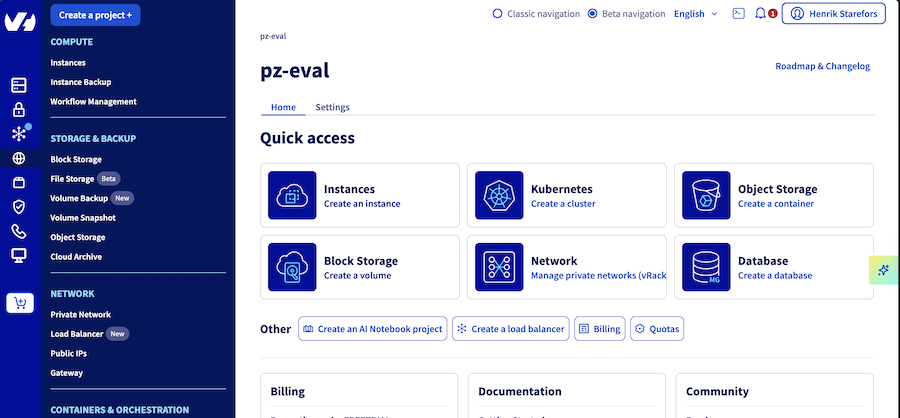
But throughout the dashboard and UI, there is a smattering of services and products marked as either “New” or “Beta”, And even the UI itself is in an ongoing beta, so things are modernising and improving as we speak, so soon I will have to change the “old reliable” epithet to just “reliable.”
Setting up the server went without a hitch: The interface is straight to the point and upfront with the information I needed, when I needed it. And just like Scaleway before, it is honest about the cost before you make any decision.
Since OVH exposes an OpenStack API, I opted to use it to upload my custom image, which appears as an instance backup in their portal. Once ready, the process was as simple as creating a new instance from this backup, adding an IP address, an SSH key-pair, and a storage volume, and off I went.
Once up and running, you get a nice overview of the most important information and actions, along with an integrated VNC console for interacting with the machine.
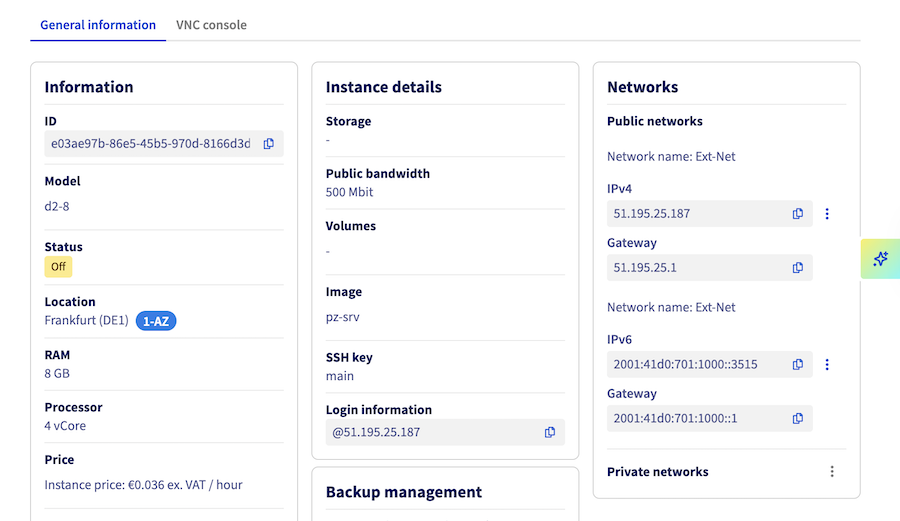
But let’s look under the hood and see what I got.
Instance: d2-8 (Intel Haswell - Released 2014)
| Metric | Value | vs AWS Baseline |
|---|---|---|
| Price | €34.15 | -79% (Cheaper) |
| Geekbench Single | 776 | -53% (Slower) |
| Geekbench Multi | 2283 | -34% (Slower) |
| StressNG | 4,114 | -16% (Slower) |
| Latency | 1.6 ms | -9.4 ms (Better) |
| Upload Speed | 480 Mbps | -72% (Slower) |
| Docker Pull | 122s | +2s (Similar) |
| Cold Start(SSH) | 63s | +19s (Slower) |
| Cold Start(Client) | 89s | +9s (Slower) |
| Cost Component | Price |
|---|---|
| Server | €32.13 |
| Backup | €2.02 |
| Egress | Free |
| Total | ~€34.15 |
Summary: The old reliable is cheap, and chugs along, but low CPU performance and packet loss do affect the overall experience.
While the latency of 1.6ms is impressive, translating to about 22ms ping, the “Louisville run” did show delays in rendering a large number of new areas, and I noticed packet loss (38-50%) and CPU usage of 90% during the test. The “horde” test did make the server struggle, reporting 1298MB free / 1690MB used and going as low as 2 fps before even crashing the game.
I’m not entirely sure whether the CPU bottleneck can explain the packet loss and stuttering I experienced, but during other tests and more normal gameplay, the connection seems stable. But either way, the older Haswell architecture does make itself known here.
For this entry, I set my gaze on the Swiss provider Exoscale. One of the younger providers, which started in the snowy mountains of Switzerland, has expanded to several data centers in multiple countries, including Germany, Austria, Bulgaria, and Croatia.
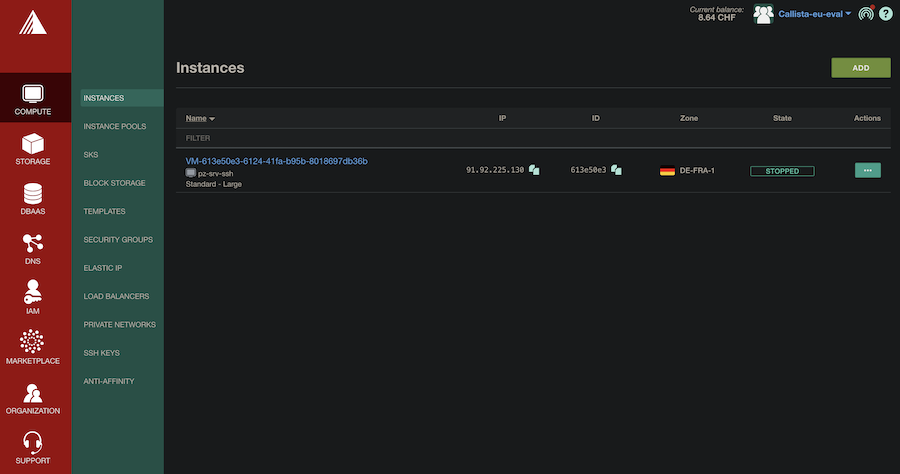
With a focus on European customers, data protection, and sustainable energy, Exoscale might not have the same breadth of services as our previous contenders, but a more narrow focus on compute, storage, databases, and networking can be compelling, especially if it feels as polished as Exoscale does.
The experience of working with Exoscale feels streamlined and concise, built around cloud servers and their management. A clean, snappy UI, with everything I need no more than two clicks away. The only thing i might be missing is a dashboard or overview page, to be able to see all my resources at a glance, but otherwise easy to use and understand.
A nice addition to their portal is their CLI, which even comes with a Go wrapper called EgoScale, further enhancing the already pleasant user experience.
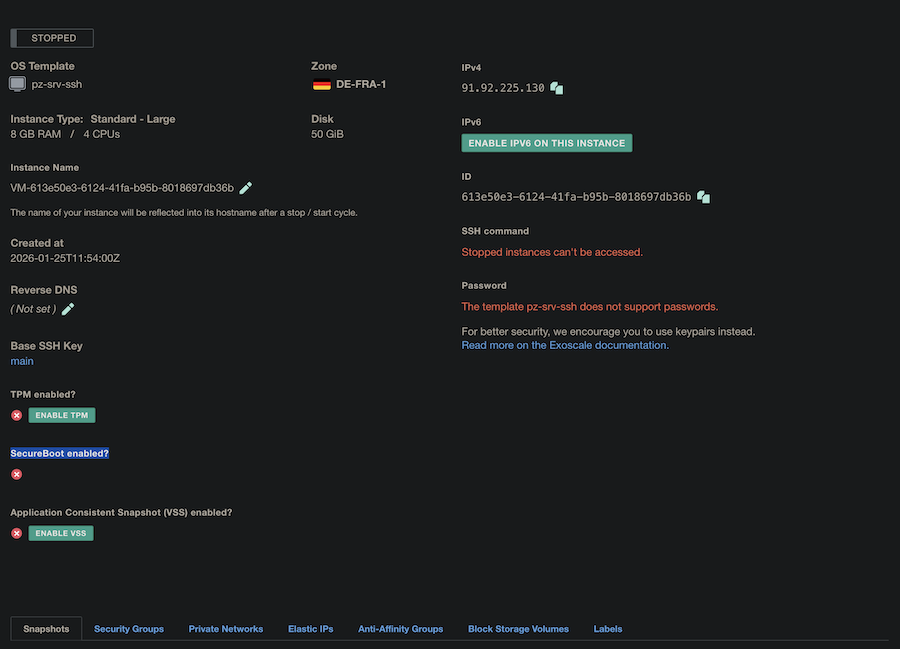
A small snag I encountered when creating the instance was the inability to bind an SSH key pair during or after the instance creation. To enable SSH on the running server, it must be part of the template used to create the instance. A minor hiccup, easily remedied, but I was not quite ready for that. Maybe I should have read ahead before pushing my image? That one is on me.
Instance: Standard - Large (Intel Skylake - Released 2017)
| Metric | Value | vs AWS Baseline |
|---|---|---|
| Price | €86.77 | -47% (Cheaper) |
| Geekbench Single | 1535 | -7% (Similar) |
| Geekbench Multi | 5116 | +47% (Faster) |
| StressNG | 6,999 | +43% (Faster) |
| Latency | 0.8 ms | -10.2 ms (Best) |
| Upload Speed | 2,183 Mbps | +25% (Faster) |
| Docker Pull | 49s | -71s (Faster) |
| Cold Start(SSH) | 38s | -6s (Faster) |
| Cold Start(Client) | 67s | -13s (Faster) |
| Cost Component | Price |
|---|---|
| Server | €67.20 |
| Storage | €4.03 |
| Custom Template | €7.51 |
| Backup | €4.03 |
| Egress (200GB) | €4.00 |
| Total | €86.77 |
Summary: Exoscale stands out for its performance. It outperforms AWS in multi-core processing, network speed, and latency, all while costing about half as much.
This strong performance showed clearly during the in-game tests. The “Louisville run” rendered quickly, and the system managed the “horde” stress test using just 30% CPU. It showed 1220MB free out of 1799MB and averaged 18fps during heavy load. For network performance, it had the lowest latency at 0.8ms, or a 19ms ping in-game. Regular gameplay felt very smooth, almost like playing on a local machine.
Although it costs more than the other European providers, the higher price is justified by its performance.
From the snow-covered peaks of Switzerland to the flat plains of the Netherlands, My next stop is the home of CYSO, a Dutch cloud provider that proudly proclaims itself the oldest independent hosting provider in the country.
CYSO, which previously operated as Fuga Cloud, has data centers in both Amsterdam and Frankfurt and is focusing on a narrower set of cloud services, including Compute, Managed Kubernetes, Storage, and Networking, including DNS and load balancing, and just like OVHcloud, it’s built upon OpenStack, so that is a plus right off the bat.
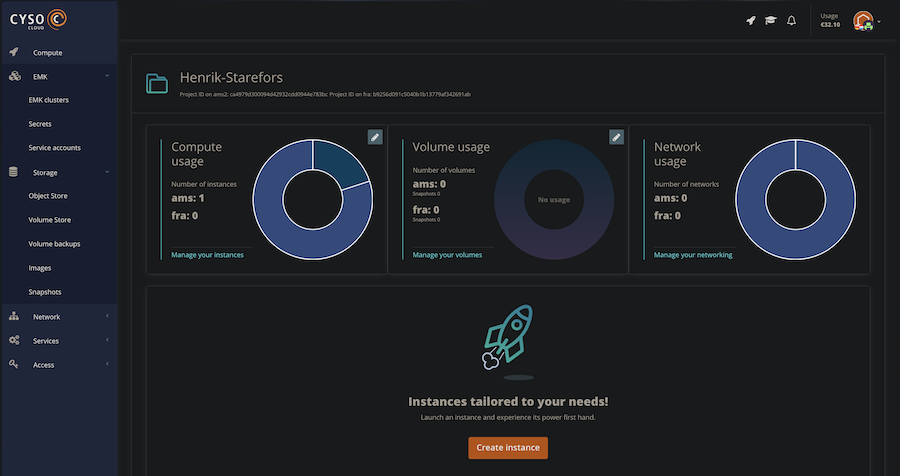
For CYSO, I explicitly registered as an individual, which imposed a quota on the resources I could create. They offer a generous default quota for individuals, allowing up to 10 instances and 24 vCPUs across Amsterdam and Frankfurt, which is more than enough as a starter.
The portal, with CYSOs’ narrower scope, manages to stay clean and snappy, in many ways reminding me of Exoscale, but with the added bonus of a dashboard that displays all my usages of compute, volume, and network. A fun little curiosity I notice was that the transition from Fuga Cloud doesn’t seem to be quite complete yet, with API endpoints, payment, and other “under the hood” workings still referencing the old name.
Otherwise, it was quite a straightforward operation getting things set up, uploading my image, creating a new image, adding SSH and IP, and we are off. Some extra configuration with security groups and opening ports was required to get everything accessible, just a small bump in the road.
In this instance, I opted for a slightly larger RAM allocation, going with a 4-core CPU and 16GB RAM, rather than the usual 4-core CPU and 8GB RAM, since this “flavor” of instance was slightly cheaper than their CPU-optimized variant with 4 cores and 8GB RAM, trying to keep things fair.
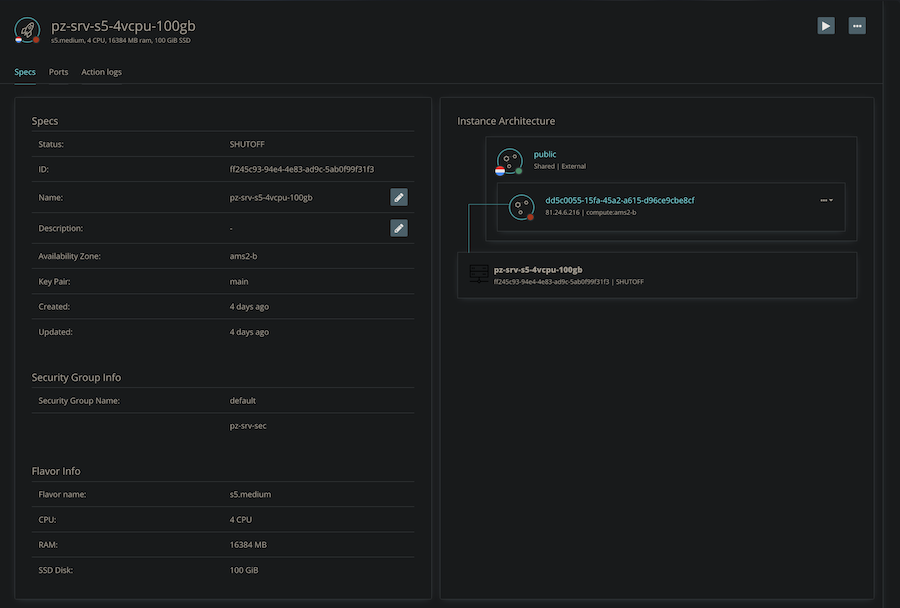
So this might be another variable to consider when looking at the benchmark results.
Instance: s5.medium (AMD EPYC Milan - Released 2021)
| Metric | Value | vs AWS Baseline |
|---|---|---|
| Price | €54.06 | -67% (Cheaper) |
| Geekbench Single | 1100 | -33% (Slower) |
| Geekbench Multi | 3281 | -5% (Similar) |
| StressNG | 4,885 | 0% (Identical) |
| Latency | 1.1 ms | -9.9 ms (Better) |
| Upload Speed | 1,845 Mbps | +6% (Faster) |
| Docker Pull | 128s | +8s (Similar) |
| Cold Start(SSH) | 55s | -11s (Slower) |
| Cold Start(Client) | 223s | +143s (Much Slower) |
| Cost Component | Price |
|---|---|
| Instance | €37.50 |
| IP | €1.99 |
| Backup | €3.20 |
| Egress | Free |
| Total | ~€54.10 |
Summary: CYSO matches AWS in raw performance and offers excellent networking. The main drawback is a slower cold boot time, so unless I was standing servers up and down all day long, I could learn to live with that.
CYSO provided a solid, middle-of-the-road experience. The CPU performance matched AWS and Scaleway almost exactly. Network latency was great at 1.1ms, translated to an average in-game ping of 18ms, though I did see some packet loss (17%) during the session.
Gameplay was smooth, the “Louisville run” only reaching 35% CPU usage, and the “horde” was handled perfectly fine server-side, reporting 1251MB.free / 1792MB used, and a drop to 9fps. Overall, a reliable option that falls between budget providers and the premium tier, both in price and performance.
Last, but not least, Hetzner caps out today’s list of cloud providers. While other providers offer a selection of services, Hetzner is all about servers. From dedicated servers, colocation racks, and backup storage boxes, to today’s focus on cloud servers.
While it might feel limiting, this specialisation does result in a cost-effective solution for hosting VMs.
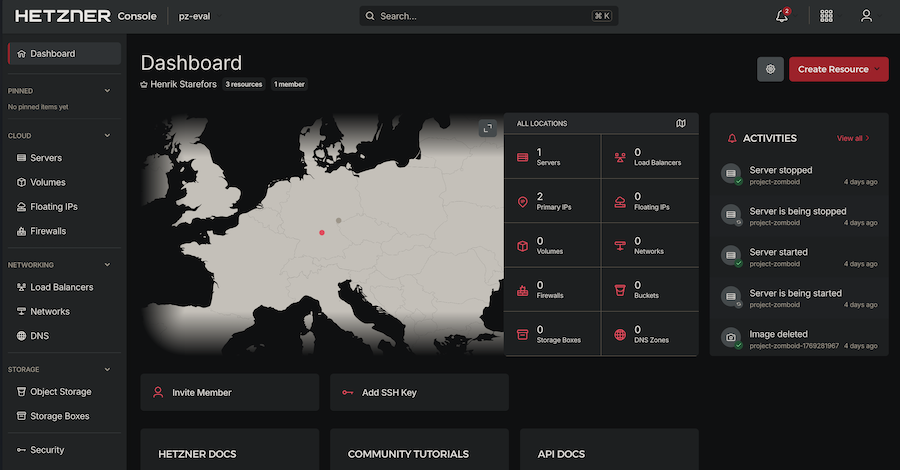
Using their portal feels easy, snappy, and informative to say the least. Once the server is up and running, I have an almost overwhelming amount of information about everything going on. Networking, load balancers, traffic, firewall, storage, backups, snapshots, allocations, cpu usage, disk IOPS, and the list goes on and on.
It really does feel like I’m in control of the server and its networking.
Although I did find pushing a custom image somewhat cumbersome, since Hetzner does not provide a simple “Upload Custom Image” feature in their cloud console like the others.
The solution I found instead was to boot a stock Ubuntu image, then reboot into recovery mode.
In this mode, I could ssh into the machine and use the dd command to write a raw image to the server’s disk.
qemu-img convert -f qcow2 -O raw ./pz-srv.qcow2 ./pz-srv.raw

dd if=./pz-srv.raw bs=4M status=progress | ssh root@123.45.67.89 "dd of=/dev/sda bs=4M"
Took about 40 minutes and booted up without a hitch afterwards, everything working as expected, but it did feel a bit… spartan. Not that I mind some “low level” tweaking myself, but a custom image for your server can’t be a rare case for their customer base.
There are other options, according to their documentation, such as ordering a KVM console attached to the server, and sending the image you want to use to Hetzner directly, then they will download the image to a bootable USB stick and connect it to the server together with the KVM, which also seems a bit…odd. Interesting solution, but still odd.
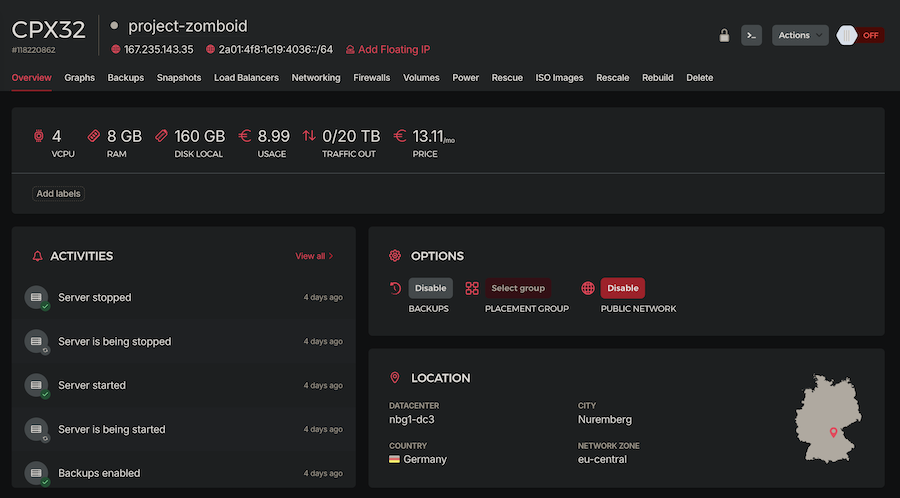
But once up and running, the server showed some impressive numbers:
Instance: CPX32 (AMD EPYC Genoa)
| Metric | Value | vs AWS Baseline |
|---|---|---|
| Price | €16.36 | -90% (Cheaper) |
| Geekbench Single | 1923 | +17% (Faster) |
| Geekbench Multi | 5932 | +71% (Faster) |
| StressNG | 6,505 | +33% (Faster) |
| Latency | 4.1 ms | -6.9 ms (Better) |
| Upload Speed | 1,570 Mbps | -10% (Similar) |
| Docker Pull | 52s | -68s (Faster) |
| Cold Start(SSH) | 53s | +9s (Slower) |
| Cold Start(Client) | 68s | -12s (Faster) |
| Cost Component | Price |
|---|---|
| Server | €13.11 |
| IP | €0.63 |
| Backup | €2.62 |
| Egress | Free |
| Total | ~€16.36 |
Summary: The undisputed value winner. For 10% of the AWS price, you get 70% better multi-core performance.
The gameplay on Hetzner was butter smooth, with no stuttering even under heavy load. The network latency was slightly higher than the others at 4.1ms, and translated to an average in-game ping of around 27ms, but with no stuttering or lag. During the “Louisville” run, rendering large swaths of land went on without a hint of trouble, even as the CPU load reached 70%, and the “horde” test push with everything it had, and Hetzner could handle it with no challenge at all, reporting 1140MB Free / 2871MB used, with around 18fps. As expected, the overall gameplay was near flawless, and during normal usage, I could not tell a difference between Heztner and the admittedly beefier Exoscale.
With all the providers covered, let’s look at the numbers side to side, and see if there is anything that sticks out.
An overview of the performance points for each provider, the score is calculated by:
(Geekbench_Single + Geekbench_Multi + StressNG) / Price = Score
| Provider | Total Perf. Points | Price (€) | Points per € | Normalized Value (AWS = 1.0x) |
|---|---|---|---|---|
| AWS | 10,001 | 162.88 | 61.4 | 1.0x |
| Exoscale | 13,650 | 86.77 | 157.3 | 2.6x |
| CYSO | 9,266 | 54.06 | 171.4 | 2.8x |
| OVHcloud | 7,173 | 34.15 | 210.0 | 3.4x |
| Scaleway | 11,940 | 40.43 | 295.3 | 4.8x |
| Hetzner | 14,360 | 16.36 | 877.7 | 14.3x |
A comparison of network quality and value. “Mbps per €” is a rough value metric (Bandwidth / cost)
| Provider | Latency (ms) | Jitter (UDP) | Upload (Mbps) | Mbps per € | Normalized Value |
|---|---|---|---|---|---|
| AWS | 11.0 | ~0.07 ms | 1,746 | 10.7 | 1.0x |
| Scaleway | 1.7 | ~0.10 ms | 400* | 9.9 | 0.9x |
| OVHcloud | 1.6 | ~0.08 ms | 480 | 14.0 | 1.3x |
| Exoscale | 0.8 | ~0.05 ms | 2,183 | 25.1 | 2.3x |
| CYSO | 1.1 | ~0.06 ms | 1,845 | 34.1 | 3.2x |
| Hetzner | 4.1 | ~0.06 ms | 1,570 | 95.9 | 9.0x |
So, when all is said and done, how would I conclude my findings? Is it time to move on from the hyper-scalers? After testing and working with these European options, I think the answer is definitely yes.
Am I saying that this is the be-all and end-all of comparisions? No, no. Is it flawless and unbiased? not att all, I’m the one who made it. Is it really fair to judge all the hyper-scalers based on the performance on one? maybe not. So this should only rather be seen as a “finger in the air” first impression, but my opinion still stands.
If getting the most for your money matters most, and you don’t need managed services like Kubernetes or Kafka, Hetzner is the clear pick. With 14 times the performance per euro compared to AWS, the choice is obvious. The 4ms latency and 1.5Gbps bandwidth are also very generous.
If you need top performance, Exoscale is the best option. It offers 0.8ms latency, the fastest single-core performance, and a strong 2Gbps uplink, making it ideal for demanding tasks.
Scaleway gets my vote for best overall experience. It feels modern and polished, with a wide range of services and access to both SDKs and CLI tools. The 400 Mbps bandwidth limit stands out, but higher-tier machines offer much more—up to 20 Gbps if you need it.
OVH and CYSO didn’t quite match the others in performance, price, or experience for me, but they’re still worth a look. Both give about three times the value of AWS, offer many managed services, and are easy to use. OVH is a good choice if you want access to many data center locations worldwide. CYSO is a solid pick for those who want Dutch or German hosting and care about Dutch and EU regulations. Both strike a balance between cost and service, sitting between budget and premium options, with the added bonus of being built upon OpenStack, open-source strikes again.
But what about AWS, the standard everyone knows? Honestly, AWS is expensive, complicated, and its performance is no more than average, given the high price. You’re mostly paying for the brand, the ecosystem, and the fact that it’s well known. I don’t think it’s worth it.
European cloud providers are mature, competitive, and ready to take a bigger share of the market.
From the start, I was willing to pay extra to keep my data safe from providers who might share private information when asked. I was even ready to accept a less-than-ideal experience if it meant I could control how my data is used and who can access it.
I’d probably stick to that view even if every EU provider cost more or worked worse than AWS. But after seeing these results, I’m even more convinced it’s time to switch to European providers.
Whether you want to save money, reduce latency, or retain control over your data, Europe has cloud options that can deliver.
Now is the time to end our reliance on Big Cloud and outside providers, and make the most of what we already have at home, here in Europe.
With open source in our stacks and EU-clouds at our backs, the sky is the limit.