Blogg
Här finns tekniska artiklar, presentationer och nyheter om arkitektur och systemutveckling. Håll dig uppdaterad, följ oss på LinkedIn
Här finns tekniska artiklar, presentationer och nyheter om arkitektur och systemutveckling. Håll dig uppdaterad, följ oss på LinkedIn

You’ve seen the cool kids on YouTube talk to their AI agents. This summer I finally tried it myself, with Handy and Sagascript, with a fair bit of mumbling in two languages.
Push-to-talk simply means holding down a keyboard shortcut, speaking, releasing the key, and having the text pasted in wherever your cursor is - instead of typing. Of course, plenty of coding agents already have a push-to-talk feature built in, but since I like being able to jump between different agents, I wanted a standalone piece of software that’s completely agent-agnostic.
Keeping my information private is a top priority for me, which is why I prefer local-first applications where my data stays completely off the cloud and under my control. Both tools I tried run the speech-to-text models locally on your machine, so no audio is sent to the cloud. That also means there’s no cost involved - you’re not burning any tokens.
Since my native language is Swedish, it’s a lot easier for me to express myself in Swedish. Of course I’d also like to be able to speak English to my agent, since most terms in software development are in English, but it doesn’t always come out quite as fluently. One fun thing I noticed is that I’m not always entirely sure how to phrase what I want to say, so I end up going back and forth a bit, adjusting as I go. That’s easier to do with the written word than when speaking out loud. I’ve seen Matt Pocock use push-to-talk, and you can tell he thinks for a moment and then just goes for it, and what comes out is remarkably well-phrased. I’m not quite that skilled!
I started with Handy, and it worked fantastically well. It’s open source, of course, and available on GitHub. It’s incredibly easy to install, and it works on Linux, macOS and Windows alike. You can choose between several models, and it handles a wide range of languages. Naturally you can also set keyboard shortcuts for push-to-talk. I ran it for about a week and was really happy with it.
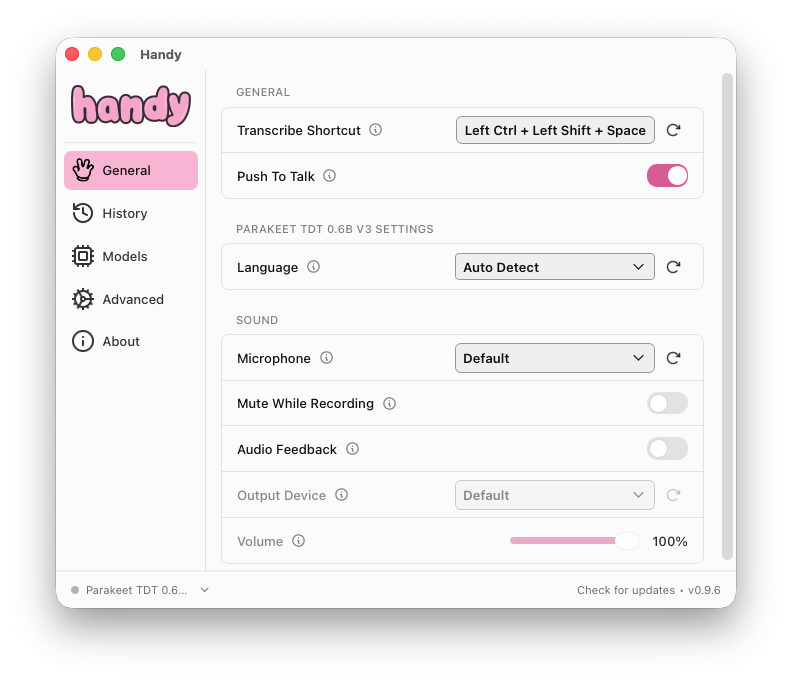
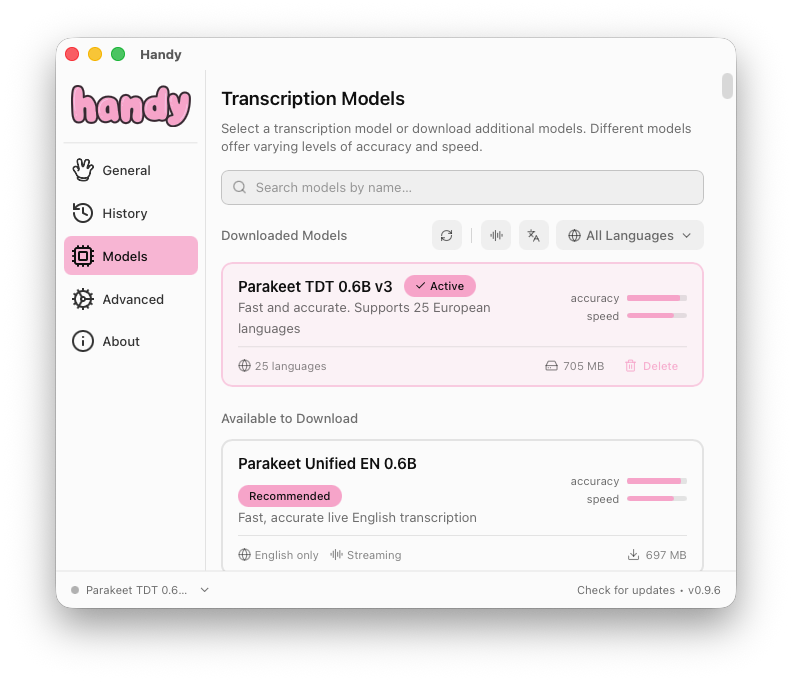
Handy was good at detecting whether I was speaking English or Swedish. But every now and then it got it wrong, and then you had to redo it.
The other piece of software I looked at was Sagascript. It’s also open source, of course, and available on GitHub. It’s developed by a Swedish guy and it focuses on the Nordic languages, with English, Swedish and Norwegian as its primary languages. A lot of focus has also gone into keeping it as lightweight on memory as possible. It’s built primarily for macOS, with Windows and Linux support still experimental.
At the moment it isn’t published in any package manager, so you’ll need to grab it from GitHub yourself and install it. Alternatively, if you use Homebrew, you can get it from my custom tap.
brew install --cask merikan/tools/sagascript
With Sagascript you can set up different profiles and bind a keyboard shortcut to each one. That suits me perfectly, since I know which language I want to use and can just use the right shortcut. I’ve bound Ctrl + Shift + Space to Swedish and Ctrl + Shift + L to English. You can of course use Autodetect too, just like with Handy, but I find it more efficient to bind it to a dedicated shortcut.
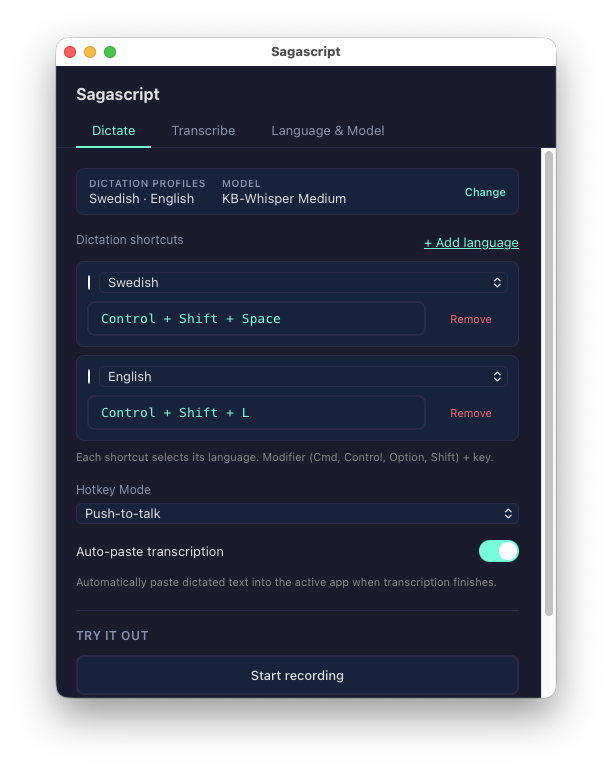
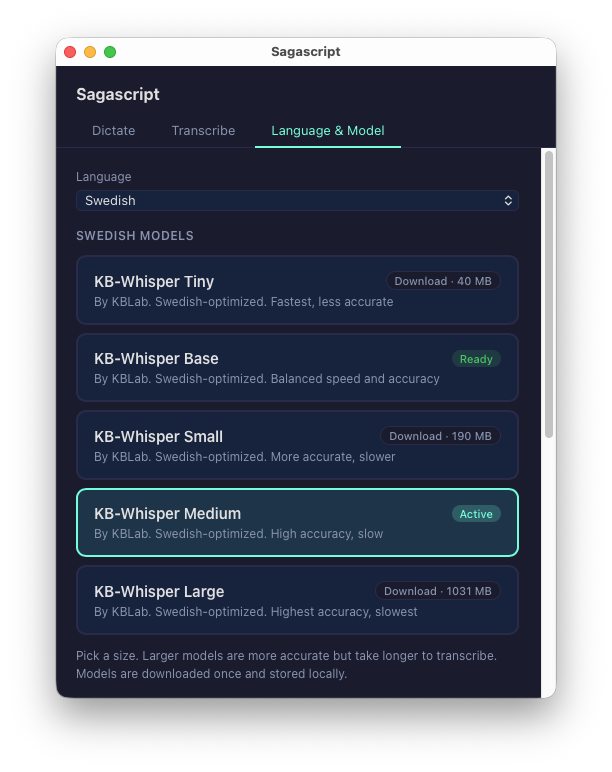
Sagascript naturally supports several models, and it’s easy to go into the interface and pick a model for each language. When choosing a model, keep in mind that the bigger the model, the more accurate it is - though also slower - while a smaller model is faster but sometimes gets things wrong. Since I have a fairly strong dialect, I want a better model that can actually interpret me correctly.
Every now and then the model doesn’t quite understand what I’m saying. Whether that’s because I’m unclear or not, I don’t know. But when you speak Swedish and mix in English words, it does struggle a bit. Often it’s established terms or abbreviations we use in the IT industry that the model then fails to understand - classic words like “kubernetes”, “kubectl” and so on. That’s why Sagascript lets you add your own custom dictionary.
I have absolutely no trouble reading and understanding English, and that’s the language I want to use when developing software. But when I talk to my agent in Swedish, I obviously don’t want it to reply to me in Swedish - I want English. So I’ve updated my agents.md file with the following text:
Speech-to-text input may come through in Swedish. If the input is in Swedish, always respond in English, unless explicitly told otherwise.
You can find my agents.md file on GitHub: .dotfiles/config/agents/AGENTS.md
To sum it up, if you need to choose:
Both options use local models so no information is ever sent to the cloud. I’ve personally settled on Sagascript for my day-to-day work, but Handy is an excellent first choice if you want to get up and running quickly.
When I first started using push-to-talk, it was to talk to my coding agent. But I’ve noticed I use it more and more when writing other documents and texts, or short Slack messages to colleagues. I also use it a lot when doing a Google search. These days I work remotely from home a lot, so it works really well for that. It might not work quite as well when you’re in the office, though.
Another thing is that I actually get to practice my English. Ever since the pandemic, I haven’t traveled abroad as much, so I haven’t used the English language as much either. So that’s a nice side effect too.
This blog post was largely written using push-to-talk, speaking in Swedish. I find writing in Swedish gives better flow, then translating to English afterward.
So next time you see me sitting there talking out loud to myself in front of the screen, switching between my Swedish and English shortcuts mid-sentence - well, now you know why:
Look mom, I have become a dictator.