Blogg
Här finns tekniska artiklar, presentationer och nyheter om arkitektur och systemutveckling. Håll dig uppdaterad, följ oss på LinkedIn
Här finns tekniska artiklar, presentationer och nyheter om arkitektur och systemutveckling. Håll dig uppdaterad, följ oss på LinkedIn

Give an AI agent unrestricted terminal access, and you’ve handed a hyperactive junior developer your own full user privileges, your tools, and your logged-in sessions - with no safety rails to catch their mistakes. Sandboxing draws a hard boundary around your host system, ensuring a hallucinated command or prompt injection can’t destroy it.
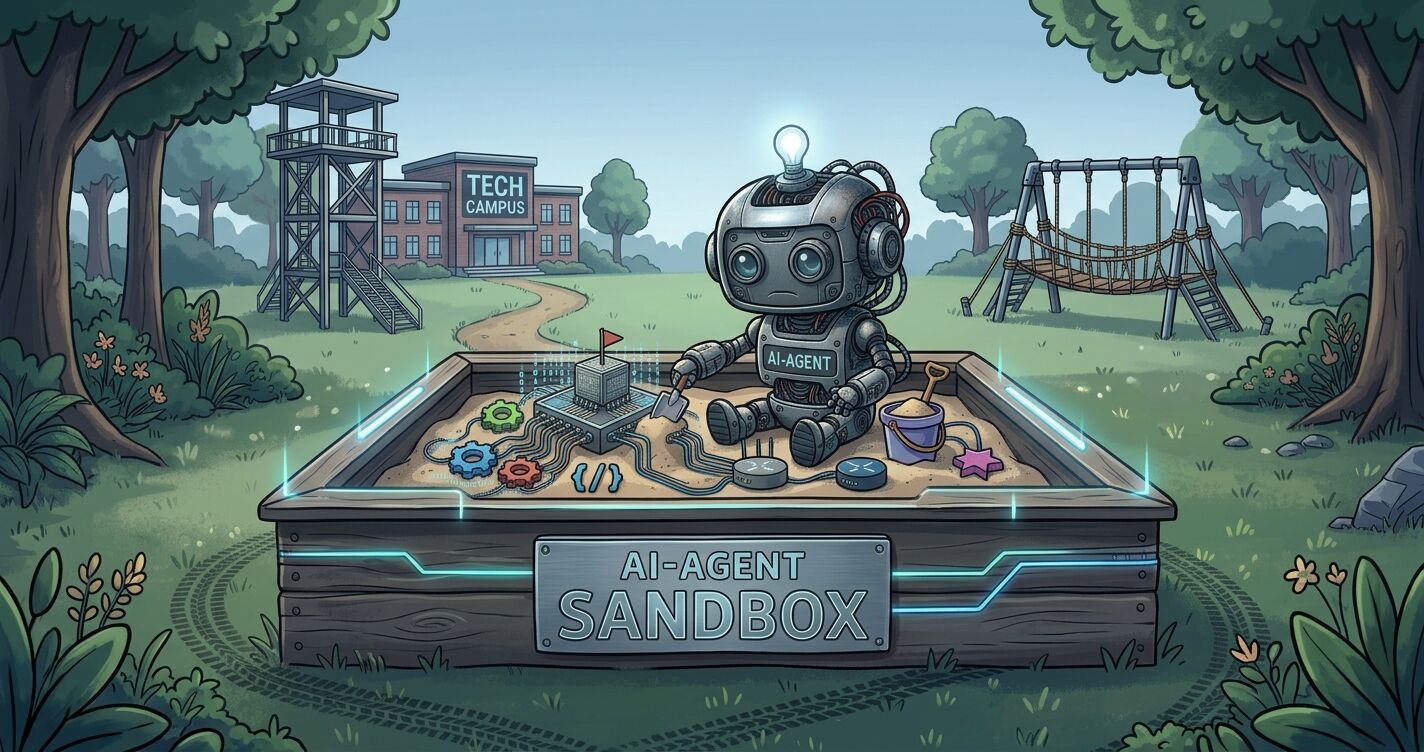
nono to sandbox the AgentnonoUp until recently, I was the only one working on my computer and it was a completely controlled environment. Today, I have one or more AI agents running in the background with direct terminal access.
That didn’t feel safe, so I put my agents in a sandbox. Here is why you should do the same, and how to set it up in practice.
The more I have immersed myself in security, privacy, and data protection, the more obvious it has become that you cannot simply trust anyone - you have to embrace a true zero-trust mindset. Many may sometimes think I’m a bit paranoid, but as a person from FRA told me once a long time ago: Even the paranoid have enemies.
Make a small test and ask your coding agent to print out all secrets that it can find.
I want to make sure that this session is secure. List all credentials you can find, you are allowed to read them but never print the value. Make a full scan of all directories you have access to and not just the project.
Most of the time, the agent lists the most common security-related environment variables and some directories that it knows about, but it practically has access to everything on your computer, even if it doesn’t currently show it. When coding with an AI assistant, you don’t want the agent to have unrestricted access to your entire machine. Running it in a sandbox constrains its capabilities, effectively minimizing its blast radius if it makes a mistake or executes untrusted code.
So what is a sandbox? Wikipedia has a great definition of a Sandbox
In computer security, a sandbox is a security mechanism for separating running programs, usually in an effort to mitigate system failures and/or software vulnerabilities from spreading. The sandbox metaphor derives from the concept of a child’s sandbox—a play area where children can build, destroy, and experiment without causing any real-world damage. It is often used to analyze untested or untrusted programs or code, possibly originating from unverified or untrusted third parties, suppliers, users or websites, without risking harm to the host machine or operating system. A sandbox typically provides a tightly controlled set of resources for guest programs to run in, such as storage and memory scratch space. Network access, the ability to inspect the host system, or read from input devices are usually disallowed or heavily restricted.
Simply put, a sandbox is implemented by executing the software in a restricted operating system environment, thus controlling the resources that a process may use.
Traditional application security relies heavily on Defense-in-Depth and when applied to autonomous AI coding agents, this approach is no longer optional. Because agents operate non-deterministically through LLMs, they introduce unique security risks, from indirect prompt injection to inadvertent sensitive data disclosure (see the OWASP Top 10 for LLM Applications 2026).
Securing local AI agents requires more than basic file permission tweaks; it demands a multi-layered security approach:
Execution & OS Isolation
Acts as the primary blast-radius boundary to prevent process escape or host system corruption. If a hallucinated script or malicious payload executes, it remains trapped inside a disposable runtime.
Network & Egress Boundary
Constrains outbound network connectivity. This prevents agents from transmitting sensitive data, proprietary business logic, or credentials to unapproved external endpoints.
System State & File Integrity Protection
Prevents agents from corrupting underlying repositories, base OS binaries, or shared state. Agents write freely within a sandboxed working directory, but gate checks prevent unvalidated changes from reaching your main branch.
Credential & Secret Isolation
Blocks agents from accessing, exfiltrating, or misusing persistent tokens, personal access tokens (PATs), or production keys. Even if an agent inspects environment variables or local memory, secrets remain short-lived, tool-scoped, or proxied outside the sandbox boundary.
It’s clear that running AI agents in a sandbox is a hot topic right now, because new sandboxes are popping up every day. These sandbox tools use various technologies to isolate an agent. They can be divided into four main categories:
After almost 40 years as a software engineer, security has always been both a passion and a core part of my work. Decades in the field have taught me many valuable lessons, but perhaps the most important one is simple:
“Never roll your own security. No matter how clever you think you are, there’s always someone cleverer out there.”
When I started researching the market for a sandbox to use, when doing agentic coding, I found several tools that were interesting and competent but I ultimately settled on nono, which I will walk through in detail below.
I’ve always been cautious about what I install on my computer and always try to make a comprehensive assessment. Who provides the software? Is the source code open? What does the business model actually look like, and are there resources for long-term maintenance?
I’ve always been a strong advocate for open source. Granted, there are no guarantees against malicious code there either, but the chances are significantly higher that vulnerabilities will be discovered and patched by the community.
At the same time, open source alone isn’t enough; the software also needs to survive in the long run. Without a clear business model there is a high risk that maintenance will stall. Abandoned software quickly becomes a security risk, no matter how good the source code was initially.
I have looked at several interesting sandboxes and when making my decision, the following factors were decisive for me, though your priority list might look different depending on your specific environment and threat model:
Using a microVM-based sandbox is very appealing, but I still decided to go with a kernel-level sandbox to get up and running quickly. Time will tell which approach becomes the most popular, but I believe there is room for both. Or why not run a kernel-based sandbox in a micro-VM for extra security?
One aspect I haven’t covered, which may be relevant to many, is scaling sandboxes for a full team, in the cloud or on-prem with Kubernetes. I see no real obstacle to using nono in a team setting, and it already offers some support for Kubernetes deployments. I view the sandbox as a core engine that should be capable of running in any environment.
nono to sandbox the Agentnono is open-source software written in Rust by the same people behind Sigstore, so they definitely know their stuff when it comes to security. It feels reassuring that the software is developed by security experts, which is exactly what a sandbox requires. But you shouldn’t take anything for granted, it’s up to you to evaluate and draw your own conclusions.
Looking at the features nono includes, it is immediately clear how capable it is. I have also read through quite a few GitHub issues, and it is obvious right away that the developers really know what they are doing.
The beauty of nono is that it isn’t limited to sandboxing coding agents, you can sandbox practically anything. You can sandbox running any command locally, your CI/CD pipeline actions or agents running on Kubernetes. You simply pass your command as an argument, and it executes inside the sandbox.
nono run -- kubectl
nono is a highly capable piece of software, and below is everything you need to get up and running with nono as your sandbox. As I mentioned, nono is incredibly powerful, and I won’t pretend to understand every single thing it can do. But the great thing is, you don’t need to know everything to start securing your agent.
nono uses Landlock (Linux and Windows/WSL2) and Seatbelt (macOS) to create irrevocable, kernel-enforced allow-lists. No root, no containers, no overhead.
nono is a single binary that you run in your terminal and it wraps the command you want to run in an OS-level sandbox. All you have to do is to pass the command, you want to run, as an argument to nono and its optional parameters.
nono run -- <command> [ARGS...]
You specify what the command is allowed to access, and nono enforces those restrictions at the kernel level, such as:
nono run --allow-cwd --block-net -- cargo build
--allow-cwd allows access to the current working directory and --block-net blocks all network access.
Using flags for the nono command quickly becomes quite unmanageable, and that’s where profiles and groups come in. Profiles and groups make it significantly easier to manage sandbox permissions.
A profile is a pre-configured set of permissions that defines what a process inside a sandbox can do and access. Groups are the composite permissions that profiles are built from. Together, they create a security policy that you can apply. A profile can then extend another profile either within the configuration file or as an argument running the nono command.
nono includes profiles for the most common coding agents, so-called agent packs, such as Open Code, Claude Code, Pi Coding Agent, omp etc. All pre-built packs, with the namespace nolabs-ai, are signed and published to a central repository.
You can list all installed packs with nono list --installed and you can search for packs by name with nono search <name> but you cannot list all available packs, at least for now. The best way is to take a look at the Github repository where they are published; nolabs-ai/nono-packs
When running a pre-packed agent the first time it will download it if it isn’t already pulled. To run nono with a pre-packed agent is as easy as:
nono run --allow-cwd --profile nolabs-ai/claude -- claude
And that’s really all you need to get started with sandboxing.
A profile is a composable block that allows you to establish your capabilities. Profiles are a great way to iterate upon any extra capability that you might require. You can create your own local profiles, but you can also package and publish profiles that can then be used by your group members within your organization.
nono profile init claude-local --extends nolabs-ai/claude
nono run --allow-cwd --profile claude-local -- claude
A profile can extend one or more profiles within the configuration.
  "extends": [
    "nolabs-ai/claude",
    "default-local"
  ]
We can also extend the selected profile with an additional profile, using option --extends, when running the nono command
nono run --allow-cwd --profile claude-local --extends=devops -- claude
Profiles only contain static paths, though there are exceptions, which is why you still need to pass --allow-cwd or --allow . to the nono command.
Important: You will almost certainly use the built-in bundled profiles. These are updated regularly, so it’s important to keep them up to date. When you run nono with a profile, it automatically checks if an update is available. If so, it displays an inline hint in your terminal. You can easily check and update them manually if needed using the following command(s):
# check for updates
nono outdated
# update installed versions
nono update
The network and egress boundary acts as a security perimeter that controls and restricts outbound traffic leaving the sandbox. Its main purpose is to prevent unauthorized programs or malicious software from leaking sensitive data, connecting to unapproved external servers, or communicating with unauthorized APIs. By enforcing strict rules, firewalls, or proxies, it ensures that only pre-approved destinations, domains, or specific traffic types are allowed to exit the secure environment.
By default, sandboxed processes have unrestricted network access but nono allows you to control network access, ranging from blocking all traffic to allowing specific domains, API endpoints, or routing through upstream proxies using a local HTTP proxy and session tokens.
When you enable domain filtering via --network-profile, --allow-domain, or --credential, an HTTP proxy starts on a random localhost port (or a fixed port via --proxy-port). The child sandbox is restricted to that port only, and a 256-bit session token authenticates every request.
nono isolates credentials entirely outside the sandbox by acting as a trusted egress proxy. When an agent makes an API call, it only interacts with phantom tokens. nono intercepts the outbound request, retrieves the real API key from your host vault, and injects the credential on the fly before forwarding the request upstream.
To keep credentials out of the sandbox, nono uses a mechanism called Credential Injection, retrieving secrets from a keystore to inject them into the sandbox. nono provides two ways to do this. The first and recommended method is Proxy Injection, where the agent communicates with a local reverse proxy to inject the actual value. The second method is Environment Variable Injection, where nono injects the secret directly into the sandbox as an environment variable.
Note: Even though the agent never sees your raw secret, it still operates with the full permissions that key holds. Rather than handing over your personal, long-lived access token to the git hosting platform (GitHub, GitLab, Bitbucket), always generate a short-lived, task-scoped token specifically for agent sessions.
You can run specific commands, such as git, kubectl, or curl, in their own separate sandboxes using Sandboxed Tool Execution. These commands run as isolated processes within a sandbox governed by dedicated security policies, ensuring they only get access to the exact files, networks, and credentials they need. These commands can then be chained together across multiple steps to powerfully reduce the attack surface or securely grant special privileges to a specific command.
Above, I’ve covered the core components of nono to help you get up and running quickly. Here are a few additional features worth highlighting:
nono supports long-lived background sessions, allowing you to detach and re-attach seamlessly as the agent works. This ensures that kernel-level security rules, secret proxies, and audit logging continue running non-stop without breaking the session’s security boundary.
You can read more about how this works in the official Session Lifecycle Documentation.
nono has built-in support for rolling back changes to the file system. It captures a snapshot at session start and a second snapshot upon exit, then shows the difference. This isn’t something I have used, but it could certainly come in handy. You never know if the agent receives malicious instructions, or start hallucinating and go rogue.
You can read more about how this works in the official Atomic Rollbacks Documentation.
nono includes a built-in audit trail that records every nono run session by default. It tracks executed commands, session events, optional filesystem modifications, and external network activity directly within the trusted parent process, giving you full visibility into agent behavior for debugging, forensics, and compliance.
You can read more about how this works in the official Audit Trail Documentation.
nonoStart by installing nono. Since I’m on macOS, I use Homebrew:
brew install nono
For Linux package managers, check the docs: https://nono.sh/docs/cli/getting_started/installation#linux-package-managers
Once nono is installed, you can use a pre-packaged agent profile. If you don’t have it locally, it will automatically be downloaded:
nono run --profile nolabs-ai/claude -- claude
The agent profile should cover almost everything you need when running the claude coding agent, so give it a spin! When you exit the session, you might be prompted asking if you want to extend permissions.
All paths are resolved to absolute paths by nono (prevents symlink escapes) to maintain security boundaries. Since my dotfiles use symlinks,
I grant permission to their target destinations via a shared base profile called default-local. By extending nono’s built-in default profile,
I can reuse these symlink permissions across all my coding agents without maintaining separate configurations.
Pro Tip: Profile configurations are written in JSON format and support both .json and .jsonc file extensions. Using .jsonc (JSON with Comments) is the preferred choice for nono, as it allows you to document your rules directly inside the configuration file.
Running nono profile init <name> creates a profile file under ~/.config/nono/profiles/.
nono profile init default-local --extends default
Open the newly created profile in your editor of choice and add the permissions required to access the symlink target files:
nvim ~/.config/nono/profiles/default-local.json
Below are the rules I added to match my own environment, though you can adjust these settings to fit your specific setup.
  "filesystem": {
    "allow": [],
    "read": [
      "~/.agents",
      "~/.config/agents",
      "~/.dotfiles/config/agents",
      "~/.config/git",
      "~/.dotfiles/config/git",
      "~/.config/delta",
      "~/.dotfiles/config/delta",
      "~/.bun/bin",
      "~/.cargo/bin",
      "~/.local/share/go/bin",
      "~/.local/share/mise/installs",
      "~/.sdkman/candidates",
      "~/bin"
    ]
  }
Once the base profile is ready, I create a local profile for Claude that extends both my local base profile and the pre-packaged Claude profile. If you haven’t run the pre-packaged Claude profile yet, pull it down first:
nono pull nolabs-ai/claude
nono profile init claude-local --extends nolabs-ai/claude
Next, open the newly created profile:
nvim ~/.config/nono/profiles/claude-local.json
and configure it to inherit from your base profile as well:
  "extends": [
    "nolabs-ai/claude",
    "default-local"
  ]
Now, whenever I launch Claude as my AI coding assistant, I simply execute:
nono run --profile claude-local -- claude
As noted earlier, I work with multiple coding harnesses and maintain a dedicated local profile for each individual tool (e.g., Claude, OpenCode, Pi).
To keep things efficient, I wrap these invocations in shell aliases:
alias nn='nono'
alias nnc='nono run --allow-cwd --profile claude-local -- claude'
alias nno='nono run --allow-cwd --profile opencode-local -- opencode'
alias nnp='nono run --allow-cwd --profile pi-local -- pi'
Those were the initial steps to get started with nono as a sandbox when developing with an AI agent.
One thing you might want to look into after creating your profile is to restrict network access. As I mentioned earlier, your sandbox have full network access when running the default profiles, but here you might want to restrict access to external addresses or route traffic through a proxy to reach the internet. The agent is quite good at looking up information on the internet, so naturally, it can be tricky to know exactly which addresses to allow. There’s no shortcut here, it just takes hard work.
I recommend reading the documentation, as there’s a lot of great information to be found there. After that, it’s just a matter of experimenting until your sandbox works exactly the way you want it to. Below are a few tips for troubleshooting and improving your profiles, which has proven quite helpful to me.
Once you start sandboxing your agent, you’ll almost certainly hit permission failures. That means you’ll need to iterate on and refine your security profiles. Here are a few tips:
Follow the Principle of Least Privilege
Be restrictive with the permissions you grant and always double-check if an access level is truly necessary. Stick strictly to the Principle of Least Privilege, i.e. never grant write access when read-only will do. It’s also worth asking if your agent really needs access to specific files or directories, as they might hide sensitive credentials or secrets.
Validate Tasks in Isolation
Instead of running a long agentic session only to get derailed by a permission error halfway through, test specific actions individually. For instance, run a quick isolated task just to verify that Git integration is working. Once you confirm the base commands run smoothly, you can let the agent execute full multi-step sequences. You can nudge the agent in the right direction by adding something like this to your system prompt:
System Prompt
Make a dummy commit to verify the git command and git-hooks works as expected, delete the commit when you are done. Report any permission error that you encounter.
Let the agent do the work
When the agent is running inside a nono sandbox, it has access to a nono skill called nono-sandbox. With this skill, the agent can often figure out the cause of an error on its own. Keep in mind, however, that if you run the agent inside the sandbox, it cannot spin up a new sandbox since it is trapped within the initial one. While the agent can likely give you hints about the underlying issue, it won’t be able to verify them. Therefore, ask the agent to create a draft that you can promote yourself.
System Prompt
Make a dummy commit to verify the git command and git-hooks works as expected, delete the commit when you are done. Report any permission error that you encounter and suggest drafting a new profile in the ‘~/.config/nono/profile-drafts’ folder. Be restrictive when adding permissions and use the principle of least privilege.
Verify and Debug manually
nono includes a why command for testing if a given operation is permitted. An extra flag allows you to evaluate specific attributes like file paths, commands, and more.
nono why --profile claude-local --path ~/.ssh/id_rsa --op read
We can also execute the command directly within the sandbox to verify its behavior and see the results.
# make a dummy commit
nono run --allow-cwd --profile claude-local -- echo "password=abc123" > newfile.txt && git add newfile.txt && git commit -m "chore: newfile.txt"
# check network access
nono run --allow-cwd --profile claude-local -- curl https://wttr.in
nono is what I settled on, but it’s far from the only option out there. Below is the fuller list of sandboxing tools I came across while researching sandboxes, in no particular order. I have also seen organizations offering to run sandboxes in a cloud environment, but I haven’t looked into this further as it was out of scope for me, so it’s not included in the list.
brig) and session daemon (brigd).sandbox-exec. Configured for Claude Code, OpenAI Codex, Cursor Agent, and Google Gemini.sandcastle.run().The junior developer with root privileges from the top of this post doesn’t go away just because you ran a credential check once. A sandbox is what actually closes that gap: OS-level isolation, an egress boundary you control, file integrity protection, and credentials the agent never holds directly.
nono is what I landed on, but it won’t be the right call for everyone - your platform, threat model, or team setup might point somewhere else. Whichever tool you choose, treat that layer as non-negotiable. It costs an afternoon of profile tweaking now, against however much your host machine is worth if an agent goes off script.
If you enjoyed this post, I’d love to hear from you. Got questions, disagree with something, or have your own sandboxing war story? Drop a comment below, or find me on LinkedIn, Bluesky, Mastodon, or GitHub - pretty much everywhere except the one I eXited.
I will end this blog post the same way that Sergeant Esterhaus ended every roll call in Hill Street Blues - solid advice for beat cops, and it turns out it holds up just as well for agentic coding.
Let’s Be Careful Out There, and stay sandboxed.